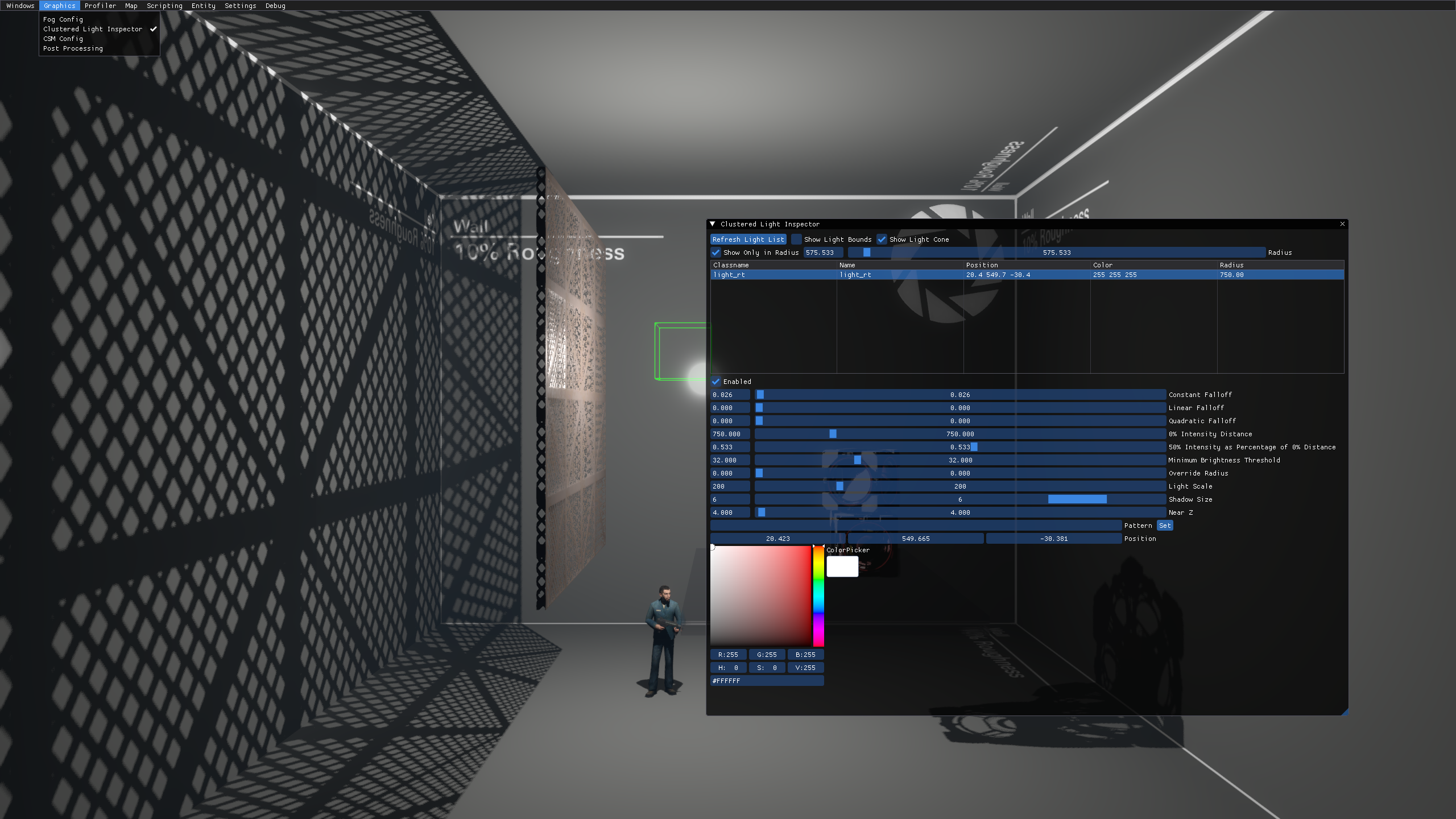
Clustered Light Inspector
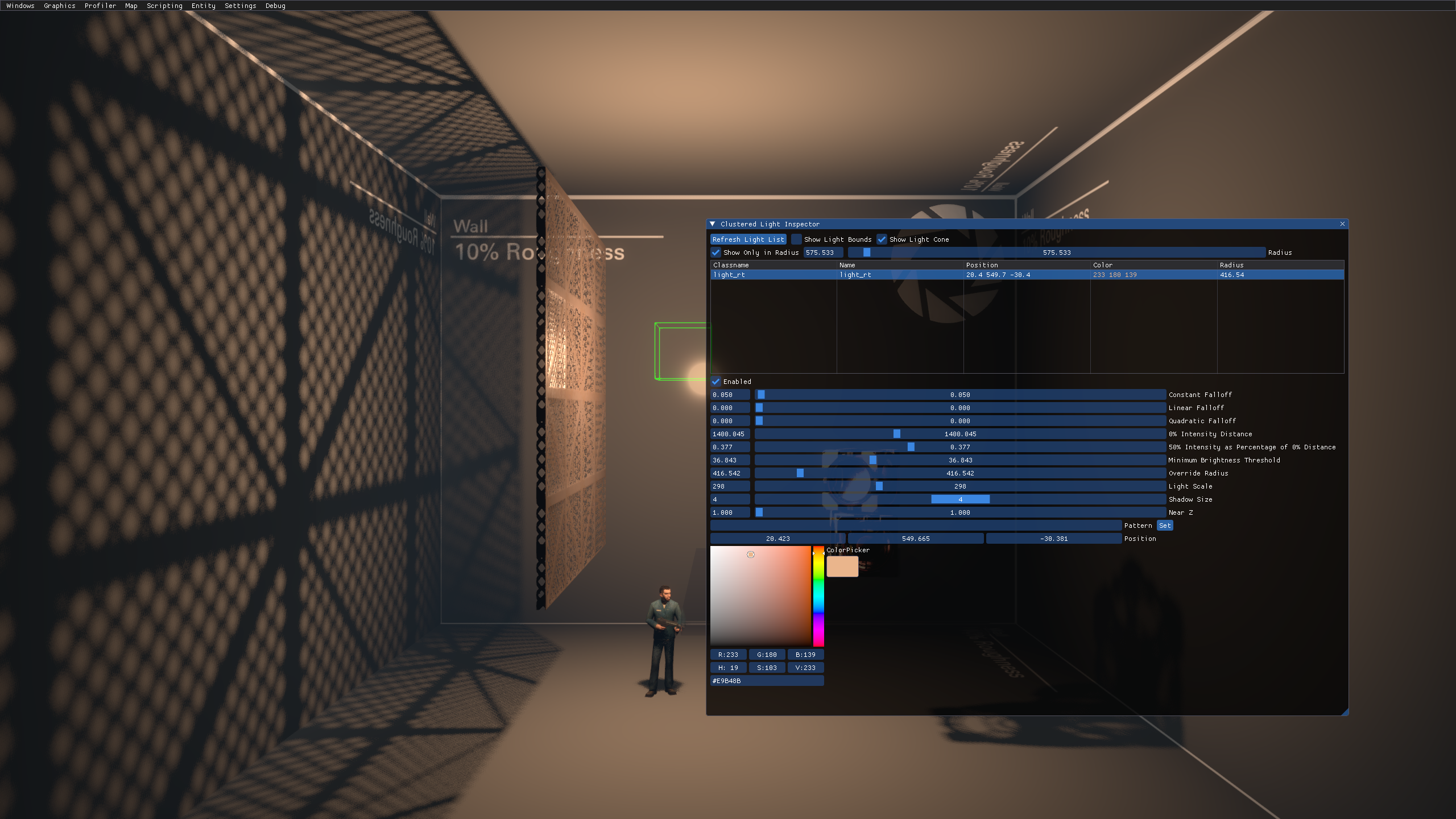
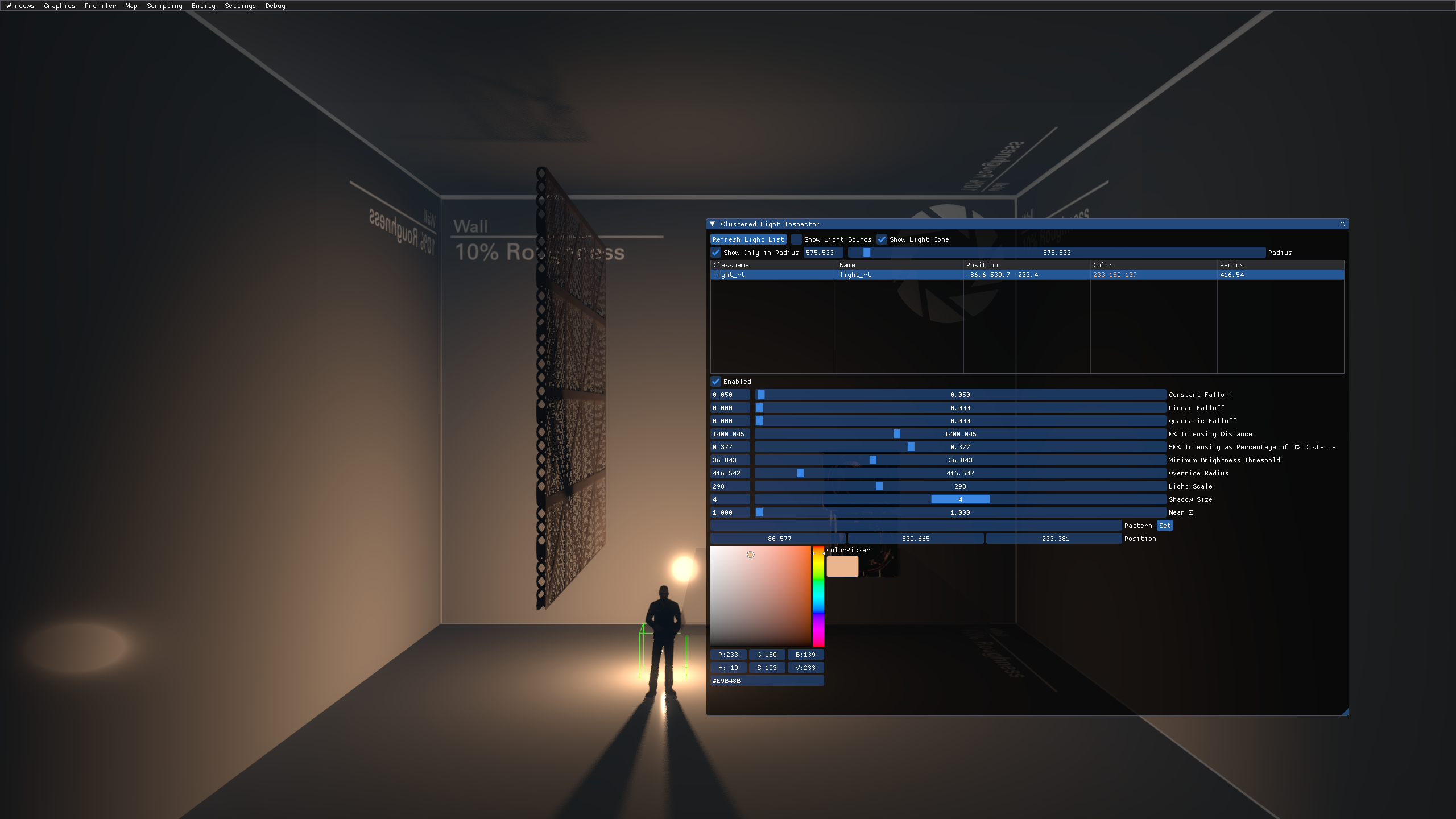
Clustered Light Inspector is a menu where you can control light_rt entities in real time in-game. There are various options that give almost a full control over the entity. You can control all the default light options, such as Constant, Linear, Quadratic, 0% Intensity Falloff, 50% Intensity Falloff, Minimum Brightness Threshold, Override Radius and Light Scale, as well as Color using the color palette, Shadow Scale, Near Z, light's Pattern and entity's position in the map.
Enabling The Inspector
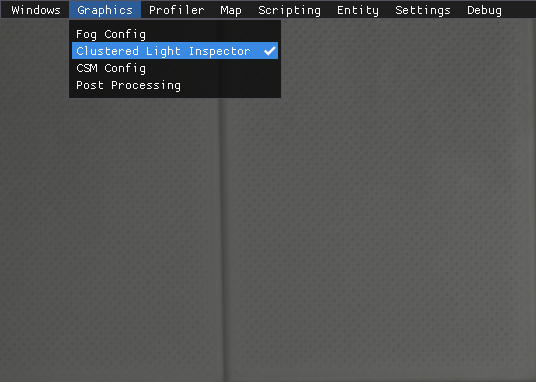
In P2:CE, you can enable the Clustered Lighting Inspector UI using the devui_show light_editor console command.
Graphics menu is the one needed. Upon pressing, four more buttons appear: Fog Config, Clustered Light Inspector, CSM Config and Post Processing. You need to choose the Clustered Light Inspector.
Position bars are scrollable!
There are additional debugging and finding options. "Show Light Bounds" is relevant for light_rt and shows bounds of the light as a sphere. "Show Light Cone" is relevant for light_rt_spot and shows bounds of the light spot. "Show Only in Radius" will only display clustered lights in a specified radius.
Top: Clustered Light Inspector
Middle: Clustered Light Inspector with the selected light's properties tweaked
Bottom: Clustered Light Inspector with the selected light's position edited using XYZ bars